
It was after the Suara Rakyat and Suara Keramat Ceramah at 12 plus and we were hungry for food. At this time, we don’t have much choices as most eateries are closed. Since we are nearby PJ area, we decided to head to Ah Wa Hokkien Mee 新青山啊华福建面 @ Jalan 222 for the famous Hokkien Mee.
When we arrived, the restaurant was already packed with those who also attended the Ceramah earlier. Looks like we weren’t the only ones who were hungry. Heheh
Despite the crowd, the waiting time is not too long.
Hokkien Mee (RM 7 for one pax)
Almost every table ordered at least one plate of their signature charcoal fried hokkien mee. The noodles was well coated with thick black sauce and fried with ingredients like pork slices, cabbage and crispy lard. One plus point is the noodles doesn’t have the kan sui (alkaline) taste or smell. The sambal belacan provided complimented the noodles very well.
Cantonese Mai Hor (RM 7 for one pax)
We ordered Cantonese Yin Yong but they ran out of koay teow and so we settled for Cantonese Mai Hor. The gravy was diluted and it was quite salty.
Lobak
We also ordered a plate of Lobak from one of the stalls. We had Hepiah (Prawn Crackers), Pork Lobak and Deep-fried Cheese Sausage. The prawn cracker is quite thick and thus not really crispy. The pork lobak and cheese sausage was so-so. Certainly not the best we had!
Overall, we find the Hokkien Mee to be good, better than the Cantonese Mai Hor. Have you tried better ones? What’s your view?
Restoran Ah Wa @ Jalan 222, PJ
Address: 66, Jalan 14/48, Petaling Jaya (behind Shell petrol station at Jalan 222, near smallest roundabout) Business hours: Opens daily from 6pm till 2am.
–
Breaking News!
Not too long ago, there were a few videos going around online of strange sightings in Stuttgart. It’s actually PETRONAS Motorsports’ latest film reveals what’s been going on all along.
This short film puts us in the thick of the action as a car zips through the city to evade an ominous mother ship and its drones. The end supers reveal that the car’s pulling power is born from a partnership between PETRONAS and AMG.
The much long-awaited Samsung Galaxy S4 has finally landed in Malaysia, starting with an official launch last Saturday on 27th April 2013.
Samsung and all major telco providers (Maxis, Digi, Celcom, U Mobile) in Malaysia simultaneously have their respective roadshows at different venues all over Malaysia last Saturday on 27th April 2013. It’s so grand and Samsung Galaxy S4 hype is all around us.
Celcom Samsung Galaxy S4 Launch
Blue Cube Sunway Pyramid (ICONIC)
Blue Cube ALL SEASON PLACE, Ayer Itam, Penang
Taman Molek, Johor Bharu
DiGi Samsung Galaxy S4 Launch
Sunway Pyramid DS
Pulau Tikus,Penang
Taman Molek,Johor Bahru
Maxis Samsung Galaxy S4 Launch
The Gardens, MidValley
Queensbay Mall, Penang
Danga Bay, Johor
U Mobile Samsung Galaxy S4 Launch
Berjaya Times Square
Seremban Store
Ipoh Store
At the launch event, Samsung Malaysia unveiled the successor of Samsung S3, the Samsung Galaxy S4. This new smartphone on the outlook might look similar with the S3, but this S4 is really the updated version, comes with a larger screen, faster processor, better camera and much more cool features!
The Samsung Galaxy S4 is on sale at the Recommended Retail Price (RRP) of RM 2,199 at all 4 telcos as well as authorised Samsung distributor / retailers. All 4 telcos also announced their respective plans for the Samsung Galaxy S4.
The launch for the Samsung Galaxy S4 was really different from others, it’s a moving roadshow at all 4 major telcos (Celcom, DiGi, Maxis and U Mobile) ending at the consumer event at Low Yat Plaza with all telcos also held their own roadshows at various nationwide.
The moving roadshow from early morning of Saturday, 27 April 2013 until the afternoon in the following locations:-
9.30 – 10.00 at Blue cube Sunway Pyramid (ICONIC) Celcom Store
10.00 – 10.30 at Sunway Pyramid – Digi Store
10.45 – 11.00 at 3rd Floor The Gardens, Mid Valley – Maxis Store
11.30 – 12.00 at Berjaya Times Square – U Mobile Store
12.30 – 14.30 at Low Yat Plaza Main entrance
I was at the U Mobile Samsung Galaxy S4 roadshow at Berjaya Times Square after which I headed to Low Yat Plaza for the grand finale-cum-photo session of the launch.
Awal Ashaari and Liyana Jasmay showing off the New Samsung Galaxy S4 at the launch.
Awal Ashaari and Liyana Jasmay showing or demonstrating the cool features of the Samsung Galaxy S4 to interested buyers.
Flash Mob @ Berjaya Times Square for the Samsung Galaxy S4 Launch.
5″ Full HD Super AMOLED display (1920X1080)(441 ppi)
1.6 GHz octa core Exynnos 5 processor (Malaysian version is non-LTE yet)
16/32/64 GB internal storage (expandable microSD slot) + 2 GB RAM
Powered by latest Android Jelly Bean 4.2.2 OS (with Samsung TouchWiz interface)
13 megapixel rear camera, 2 megapixel front facing camera
7.9 mm thin, weighing only 130 grams
2,600 mAH removable battery
Connectivity : HSPA+/LTE, WiFi, Bluetooth, NFC, IR (infrared) Blaster
Available in Black Mist and White Frost
Will be reviewing on this Samsung Galaxy S4 very soon. Stay Tuned for more updates!
Oohh yeah, another iOS problem! Someone discovered a method to bypass the passcode lock on any iPhone running the newest software update iOS 6.1.
The method is a bit complicated and will allow access to the phone application! While hitting the home button will re-lock the phone, the exploit does have potential to snoop through peoples contacts and make calls. How creepy it is!
Apple never do enough testing or it’s injected this bug on purpose?
Steps on how to hack / bypass iOS 6.1 passcord lock.
1. Lock device
2. Slide to unlock
3. Tap emergency call
4. Hold sleep button until the power down prompt shows. Click cancel, you will notice the status bar turn blue. Type in 911 or your emergency number and click call then cancel it asap so the call dosen’t go through.
5. Lock your device with the sleep button then turn it on using the home button.
6. Slide to unlock then hold the sleep button and in 3 seconds tap emergency call. This will spazz out the phone and cause it to open.
[Make sure to continuously hold the sleep button until you are done looking in the phone]
And there you go, the phone will reveal its contact, call, and voicemail information. You can also create a contact and view the photo gallery in doing so. You can also send emails and texts through the sharing a contact feature.
Update: One MacRumors reader notes that the technique does not appear to work if the user has turned off the “simple passcode” option to allow for more complex passcodes.
Update 2: AllThingsD notes that while Apple has yet to make an official comment on the issue, “sources close to the company say it is hard at work on a fix.”
Update 3: AllThingsD has now updated its report with a response from Apple.
“Apple takes user security very seriously” spokeswoman Trudy Muller told AllThingsD. “We are aware of this issue, and will deliver a fix in a future software update.”
–
Breaking News!
A strange vehicle caught on camera in tunnel in Germany.
When the footage is slowed down, we see a strange light that seems to be chasing after it. According to the report, the vehicle could be the missing cargo that was reported a few days before.
It’s clear the missing cargo is in fact a car. But what kind of car could possibly cause all this drama?
Ohh yeah! I heard our Prime Minister Datuk Seri Najib Tun Razak wishing us Happy Chinese New Year on Air! So nice of him learning Mandrin just to wish us Happy Chinese New Year! Lolz.
Najib and Nor Ashman extend Chinese New Year greetings on air in Mandarin
PETALING JAYA: Radio listeners were pleasantly surprised to hear Prime Minister Datuk Seri Najib Tun Razak speaking with his youngest son, Nor Ashman, on air in Mandarin.
Najib and his 22-year-old son were featured in a 40-second Chinese New Year radio advertisement that went on air yesterday.
The advertisement started with a female narrator saying: “Hey, someone is learning to speak Mandarin”.
“Na Ji. Wo shi Na Ji (I am Najib),” said Najib as his son, who has previously studied Mandarin at the Beijing Foreign Studies University, corrected his pronunciation.
The narrator then went on to say: “What a surprise it is, our Prime Minister. And who is teaching him to speak Mandarin?”
Nor Ashman then asked his father if he knew the meaning of his name in Chinese, to which the Prime Minister replied: “Yes, I was told that it means to embrace luck and all positive things in life.
Najib then asked his son the meaning of his Chinese name, to which Nor Ashman responded: “Si ji ping an (Peace for all seasons)”.
Both the father and son combined their names to extend a festive greeting to listeners: “Chinese New Year is around the corner. Let us extend our greetings to all.”
“Na Ji ying chun (good fortune and welcome spring),” said Najib, followed by Nor Ashman, who added: “Si ji ping an.”
“Gong Xi Fa Cai,” said Najib and Nor Ashman in unison.
Najib’s political secretary Wong Nai Chee said it had been a tradition for the Prime Minister to send out greeting cards every Chinese New Year.
“But in addition to sending cards, we thought of doing something different this year,” he said, adding that the banter between Najib and Nor Ashman also reminded the public that the Prime Minister was also a father.
The advertisement, said Wong, was aired at 11 radio channels, including Red FM and 988 FM.
“Apart from the usual Putrajaya Chinese New Year card, a personal card will be given randomly to those born in the Year of the Snake.
“The card will feature both Roman and Lunar calendars on its back,” he said.
Popular blogger Jason Goh lauded the Prime Minister for going out of his way in delivering his Chinese New Year wishes.
“I liked it because it feels like the Prime Minister is learning Chinese just to wish everyone. The intonation sounded so good. It was as though a Chinese (person) was speaking,” said the 29-year-old from Kuala Lumpur.
As a member of the Chinese community, Goh said he was proud of Najib, wondering “if he’ll learn too speak Tamil when Deepavali comes?”
Joe Maxwell, 31, from Kuala Lumpur described the advertisement as creative, adding that one “could tell he (Najib) had put a lot of effort in making the greeting unique, and it came off as hip and youthful to the listeners.”
It seems that whatever was pursuing the truck was after the cargo which went missing immediately after. Is everyone just overreacting or could this really be something extraterrestrial? Curious to see just what was inside the truck and to know what the mysterious light caught on camera was?
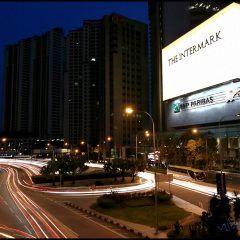
Have you visited the Petronas Interactive Wall @ KLCC Petronas Twin Tower Sky Bridge Visitor’s Center yet?
When you visiting the KLCC Sky Bridge from now till 18th January should be able to see this Petmos Interactive Wall.
To find the place where the Petmos Interactive Wall located at KLCC Petronas Twin Towers Sky Bridge Visitor’s Center. It’s just one level down from Petronas Tower One and it’s just beside the gift shop.
It’s an interactive wall using kinect sensor that could react according to the user action. Liquid and metal elements on the screen move according to the direction you move your arms.
When the two elements clash with each other, a short animation comes on. We see a mercury-like swirl and what emerges out of it is one of 5 things: mechanic heart, diamond grille, piston, shark, and headlights.
This is the kinect sensor that will get your move synced with the liquid and metal on the interactive screen! It will move according to your action!
You can swipe, punch or even kick it against the kinect sensor to get the liquid and metal move and clash them!
The point of the game is to find a partner to help push the elements on the other side of the screen to the centre. I tried it myself and it’s taking very long to get it done but it’s easier when you get the right partner!
It’s very interesting to see how different pairs attempted to merge the two elements together, and the different results they produced after trying to move the liquid and metal elements together!
When was the last time you played with your shadow on the wall? You should try it, this time with a wall that interacts with you!
Imagine a wall with an amazing, gorgeous display that will react to your every movement. You can even get your friends to join in the fun!
Check out this sophisticated visual presentation of science and art at:
Venue: Petronas Twin Towers Skybridge Visitor’s Center
Date: Today – 18th Jan
Operation hours: 9:00-7:00pm
Visit and try it before it’s too late! This wall will end date at 18th Jan. You can have good exercise by interactive with the interactive wall too! Get your move now!
Recently, I have joined Petronas for the Sentuhan Kasih Deepavali @ Kampung Wellington. We are on a mission to help the villages in the “Gotong Royong”, making Kampung Wellington a better place and a better environment! Despite the long journey, everything was worth it!
We have to reach very early in the morning as it took about 3 hour’s long journey to reach Kampung Wellington. Even though we need to reach early in the morning, gathered in KLCC before we depart by bus to Kampung Wellington, the journey was fun as it was together with all the media friends and bloggers, and what more it’s for the event that helping in Gotong Royong.
Program Sentuhan Kasih is a PETRONAS festive Corporate Social Responsibility (CSI) programme piloted in 2005 in preparation to celebrate major festivities in Malaysia. It’s initiated to communicate the ‘human’ side of PETRONAS where staffs are given the opportunity to share the spirit of togetherness and share the festive joy with the underprivileged community.
PETRONAS making it an annual affair in 2006 and expanded the programme to cover other festivals such as Deepavali, Chinese New Year, Gawai, Tadao Kamaatan and Christmas depending on the locations.
The target location was Kampung Wellington, Manjung, Perak!
It’s a small village with a total number of 500 villagers that form the 66 families. 80% of the villagers are Indians while the remaining are Malay and Chinese.
Most of the villagers are poor with household income of lesser than RM700 and some are single mothers with many schooling children.
Most of the villagers work at the palm estate and being paid on a daily basis which results in non-fixed monthly income with families have six to eight schooling children.
So we are there to help up a bit and that’s what we could do at least by cleaning up the kampung and giving some incentive and help by Petronas!
Every year, the underprivileged from various locations were invited to participate in various activities prepared for the programme and received festive hampers, ‘ang pows’ and ‘duit raya’. I would say it’s a great initiative by Petronas to reward back to the society.
Everyone in the Kampung Wellington was given a gift pack each for the Sentuhan Kasih Deepavali celebration from Petronas.
In 2011, the ‘turun padang’ concept is introduced to create a more sustainable impact to the stakeholders and PETRONAS staff where staff volunteers conduct ‘gotong-royong’ to refurbish rundown facilities such as schools and homes.
The day’s programme “Sentuhan Kasih” started with a gotong-royong activity by a group of 40 student volunteers from Universiti Teknologi PETRONAS (UTP), assisted by the local residents, to clean up and refurbish the villages’ common areas and amenities.
We joined the UTP students and locals in this programme. Before that, were being brief about the “Gotong-Royong” when we arrived on how to clean up Kampung Wellington and how to beautify the place.
Each of us was given a pair of hang gloves to start with.
Posing a bit before we start the actual “Gotong-Royong”!
Then we were divided into team to cover different area and started the “Gotong-Royong”. Our aim was just to make Kampung Wellington a better place as the main objective!
It’s never an easy task but we all enjoy doing that because it’s like rewarding back to the society and we are proud to be of the programme.
The villagers were also given free health screening and an informative workshop on substance abuse by Red Crescent Malaysia and Persatuan Pengasih Malaysia.
They are so happy because their result was good and healthy!
Learn how to make vada. Vada also known as wada or vade or vadai or Bara (pronounced “wah-dei”, “vah-daa”, “vah-dey”, or “vah-die”), is a savoury fritter-type snack from South India.
Recently I was introduces to this vada and really falling in love with it!
The aunty is making a living out of it by just selling vada and she’s selling vada for more than 30 years! That’s how determine the villages are.
Had a chit chat with those UTP students which involved in this programme and they are so happy to be part of it and they don’t mind the sweat and the long hours spend.
For lunch, the villagers were joined by another 77 families from Ayer Tawar, Lumut and Sri Manjung, who are beneficiaries of Program Sentuhan Harapan PETRONAS – a community outreach programme that provides basic assistance to hardcore poor families in the country.
There’s also a dance performances by UTP students. The dance move was so smooth and fluid! Awesome!
Towards the end of the programme, PETRONAS Senior General Manager of Group Corporate Affairs Division, Dato Mohammad Medan Abdullah and UTP Vice Chancellor Datuk Ir. (Dr) Abdul Rahim Hashim handed out cash donations to all of the families
Souvenir presentation to the representatives.
All the bloggers and media friends that supporting the Sentuhan Kasih Deepavali with Petronas @ Kampung Wellington! See how happy and energetic we are!
Check out the official video release from Petronas on the Sentuhan Kasih @ Kampung Wellington below!
Are you one of the Microsoft Windows user since years ago and still a faithful Windows user? Yes, I’m a fans of Windows and if without Windows there’s so many tasks can’t be achieved and I guess all the people now will still be based on paper and pen. But with Windows it actually helps a lot people out there, not only to the big corporations but also to individuals like you and me! So that I could blog! Right?
I have been using Windows from : Windows 95 > Windows 98 > Windows ME > Windows XP > Windows Vista > Windows 7 and now Windows 8!
Long ago there’s no Graphical User Interface (GUI) like now and all based on MS-DOS and mostly command operated and not as user friendly as now, with just a few mouse click and a few keyboard command and able to achieve what we want now! It’s all because of Windows, it makes it possible, it makes our life easier.
Windows 8 is the current release of the Windows operating system, produced by Microsoft for use on personal computers, including home and business desktops, laptops, tablets (Microsoft’s own Surface), and home theater PCs. Although this new Windows 8 is mostly cater for the touch screen devices like Tablets and Mobile devices, it’s still the most powerful Operating System around for desktop and laptop.
I have tested it with a MacBook Pro and yet to own any new tablets pre-installed with Windows 8, I would really love to own one of them to actually make full use of all the available features of Windows 8!
The real difference between this and previous versions is that Windows 8 is polished and smooth, with even better performance. Windows 8 introduces significant changes to the operating system’s platform, primarily focused towards improving its user experience on mobile devices such as tablets to rival other mobile operating systems.
We’re probably familiar with all the previous Windows like Windows XP, Windows Vista and Windows 7 since we use at least one or more of them on a daily basis. With Windows 8, things change radically. The desktop, as you know it, it’s now with the so-called Windows 8-UI style (User Interface). This interface is designed to be used with touchscreens as well as with a mouse and keyboard.
Windows 8 : Windows App Store
These Windows apps are downloaded via the new Windows Store. The Windows Store is similar to Apple’s App Store and Google’s Play store. There’s more and more free apps developed because of the demand and you can find more Malaysian app in the Windows Store too like – The Star, Digi and AirAsia.
You can still run programs written for older versions of Windows, but this is possible only on PCs and laptops: Windows 8 tablets (at least those which have ARM processors and run Windows 8 RT) won’t have the traditional Windows desktop at all.
If your computer runs Windows XP with Service Pack 3, you can transfer your files. Windows Vista users can bring files and settings, while Windows 7 owners can keep programs, settings and files. It’s so convenient to upgrade to Windows 8 without much headache and time involved! The installation is fast and clean! Just love the awesome user experience!
Any incompatible programs have to be uninstalled before the upgrade, but Windows 8‘s installer will tell you what action needs to be taken.
When you’ve entered your password (there’s also the option of a picture password), you’re taken to the new Start screen, which Microsoft is now calling the Windows 8-UI style (formerly, but no longer, Metro). There’s no longer traditional desktop or start menu which I still can’t get used to it yet! But to be honest the Tiles Menu is really awesome!
It’s at this point which many people will feel lost, but as with any new interface, it takes only a few minutes to gain your bearings and figure out where things are and how to accomplish tasks. Just spend some time playing around with the Windows 8 and you will get hang of it!
I love the Tiles displays all live information for default apps or those apps that you have downloaded from Windows Store. If you’d like things to be arranged differently, just tap (or click) on a tile and drag it to a new position. Everything else will rearrange around it, and some tiles can be shrunk or enlarged, making it easier to find the apps you use most.
The Live Tiles feature in Windows 8, meanwhile, provides seamless connectivity to multiple social applications thus delivering updated information at a glance without the hassle of attending to multiple applications simultaneously.
As you install apps, new tiles are created, and you can also add tiles as shortcuts to programs already installed, including those that run on the traditional desktop. When there are too many to display on screen, you have to scroll right to see more. Alternatively, you can pinch to zoom out, then scroll and zoom in when you see the tile you want.
Must Know Keyboard shortcuts for Windows 8!
Windows key + Q: Search. This opens the search charm, set to whichever app you’re currently using. You can quickly switch to a files search with Windows+F, or settings with Windows+W.
Windows+C: Open the Charms bar
Windows+H: Share charm
Windows+I: Settings charm
Windows+X: opens the admin menu, which appears where the Start menu used to be.
Windows+D: Shows the traditional desktop. Press again to minimise all desktop windows.
Windows+L: Locks your computer and displays the Lock screen.
Alt+F4: Close current app. Also, you can use your mouse to click at the top of an app and drag it to the bottom of the screen.
Windows 8: Charms bar
The Windows 8′s Charms bar is another brand new feature. It appears when you swipe your finger in from the right-hand edge of the screen. Those with a mouse can point the cursor to the top or bottom right corner of the screen (these are two of the new ‘hot’ corners in Windows 8).
From the top, you have Search, Share, Start, Devices and Settings. Search is a replacement for the search box in Windows 7 and Vista, but a more capable version. The Share charm allows you to share things with people, but the options will change depending on which app is running. Extra sharing options will appear when you install apps that can share content, such as Twitter clients.
Start takes you back to the Start screen if you’re in another app, or switches to the most recent app if you’re on the Start screen since there’s no longer Start button as you normally seen in all the previous Windows!
Click or tap the Devices icon to show relevant connected devices. Printers, speakers, screens and network devices will be shown in a list. You can click on one to change its settings, or use any of its capabilities.
Settings gives quick access to Wi-Fi settings, volume, screen brightness and notifications options. It also provides a link to the new, streamlined control panel, simply named Settings. Clicking on the Settings charm will also show settings specific to the current app.
Windows 8: Searching
For a list of all installed apps, swipe up from the bottom, or right-click, to bring up the bottom options bar, then choose All apps. A neat shortcut, if you know what you’re looking for, is simply to start typing on the Start screen. This opens the search box, and you can filter results by type: Apps, Settings or Files. You can also apply that search to a particular app (Internet Explorer, for example) by clicking or tapping on it in the search box.
Windows 8 : Multiple windows, Windows 8-UI style
When you tap or click on an app it opens in full-screen mode. Most apps are designed to work this way, but you can drag down from the top, then drag either left or right to resize the app to occupy a small column at either side. Three-quarters of the screen is then left for a second app (or the desktop, if you like). You can flip apps between these two positions by grabbing the black bar which separates the apps and dragging it left or right.
Windows 8 Photo
Windows 8 lets you view your local photos along with pictures from online services including SkyDrive, Facebook, Flickr, and other computers with SkyDrive installed.
Windows 8 : People
You can view all of your friends and all of their updates in one place! It’s so easy and organize with this Windows 8 : People.
Facebook, LinkedIn, Hotmail, Twitter and Google all can be added and manage in People.
Windows 8 : Email Outlook
I love the Windows 8 default outlook email client and it’s so neat and clean to read all the emails.
Windows 8 : News
You can read news all over the world in one place and it’s in Windows 8 : News.
All in all, my experience with Microsoft Windows 8 is a pleasant one and it’s really simple to use provided that you get the hang of it and it’s really awesome piece of OS! You really can bring out the multitasking and you can do wonders! I think you should also try using the all new Windows 8 and you will definitely fall in love with it!
Windows Upgrade Offer for consumers purchasing a new Windows 7 PC
For those who bought Windows 7 PC from Jun 2 onwards, Now you can upgrade your Windows 7 to Windows 8 with USD 14.99 (RM49.92). The Windows Upgrade Offer provides consumers who buy an eligible Windows 7 PC the option to purchase a downloadable upgrade to Windows 8 Pro for around RM50 during the time of the promotion.
This program is available for consumers buying new Windows 7 PCs that are preinstalled with Windows 7 Home Basic, Home Premium, Professional or Ultimate and include a matching and valid OEM Certificate of Authenticity. The Windows 7 PC must be purchased new during the eligibility period of 2 June 2012 to 31 January 2013 and redeemed before the program expiration at the end of February 2013.
Consumers who register for the Windows Upgrade Offer will be able to download Windows 8 starting 26 October 2012. The upgrade can be installed on any eligible and compatible Windows PC and comes with 90 days of support from Microsoft.
For those who has PC and would like to install or upgrade to Windows 8, you can purchase it at USD39.99 (RM122). Click here to purchase Windows 8 now! http://www.windows.my
Windows 8 Promo till Jan 31, 2013 only! After Jan 31st, you will not be able to save around RM800 and you will need to pay RM885! So act now before it’s too late!
It has been exciting 6 months since Panasonic did their very first PHOTONISTA campaign back in June 2012. In line with the Photonista Campaign, Panasonic proud to introduce 6 different new models and 3 interchangeable lens.
I was invited to the launch with few of the bloggers and media @ Bahamas Room Level 12, Sunway Hotel. I have captured everything in my Panasonic Lumix LX7! Hehe. Nice and you must check out the video in HD too! Love the low light capturing and just love the constant F1.4! It’s crispy clear and I’m loving my Lumix LX7!
Not only that, with the 24mm ultra wide angle high quality LEICA lens, I able to camwhore with friends without much hassle! Just look at the camwhore photo above and you know it’s super nice and sharp!
Check this out, it’s shot with Lumix LX7. It has really nice depth-of-field for a camera this size.
The Lumix LX7 shoots beautiful daylight photos, and fairly decent ones in low-light. This is the best ever feature that needed most where most of the time we need to shoot in low light condition and still able to get an acceptable good quality photo!
Panasonic presented this voucher for us to claim our gift after the launch which I think it’s good because we do not need to carry the gift around but to collect it just right after the event end. It’s a Panasonic hair dryer! Thank you so much as I needed a hair dryer badly, just in time!
Before the launch, there’s lunch severed at Fuzion – Sunway Resort Hotel & Spa. I enjoyed the food there as there’s lot’s of variety, Local Delights, Western, Japanese and yummy desserts! Burrppp ;D
After the lunch we headed back to Bahamas Room for the launch.
TV personality Julie Woon was the host for the day and with her hosting the launch, it’s pretty interesting.
Speech by Mr Harry Sasaki, Marketing Director of Panasonic Malaysia.
The cameras unveiled today are designed and built packed with the necessary technologies to cater for the high-end, the explorer and the party photoniosta of our better halves. It has what the users looking for!
The cameras are eco friendly with high energy efficiency allowing us to shoot more pictures on a single charged as compared to the older models! That’s what most people looking! With this eco friendly technology, I don’t need to worry on battery running low and miss some of the precious moment to be captured with my Lumix LX7!
Julie Woon and two professional photographers shared their experience on the new Lumix cameras during the launch. Each of them have their own sharing and unique experiences with Lumix cameras in their personal daily life.
Chris Tomachi (2nd from left), Deputy Managing Director and Jeff Lee (center), Managing Director, Panasonic Malaysia during the launch of the event.
Marketing director Hidekazu Sasaki said through the campaign, the company had strengthened its position in the mirrorless category, pushing it to the leadership position.
“We have held the 27 per cent market share from April to September and hope to maintain this figure and position in the segment, especially with the launch of new models,” he added.
Showcase of the Photonista at the launch.
The newly added G line of mirrorless interchangeable lens cameras include the Lumix G5 and Lumix GH3.
The Lumix G5 is capable of achieving an even higher resolution thanks to the advanced image processing engine driven on a new algorithm and faster response time. In addition to this, the camera also packs a 1,440,000-dot electronic viewfinder with a near 100% field of view for easy composition.
On the other hand, the Lumix GH3 is a robust digital imaging option that is built to withstand the extreme conditions of heavy field use due to its splash- and dust-proof construction. It is offering features equivalent to that of a DSLR without the extra weight and size! This is just too good to be truth right!
Designed for casual everyday usage, the Lumix LX7 offers users a 24mm ultra wide angle LEICA DC VARIO SUMMILUX lens, which is capable of an F1.4 aperture at the wide end and F2.3 at the tele end. With the 1/1.7-inch 10.1 MP MOS sensor, the Lumix LX7 also offers a 1.5dB S/N ratio.
Check out how clear the picture able to be captured in a dark box as being demo in the launch!
This stunning bright lens, LEICA DC VARIO SUMMILUX lens with F1.4 aperture, can give impressive expression to the image by reproducing exquisite gradation and mellow defocus!
The quality of the pictures and videos, I can say it’s on par with DSLR! So for now on I will be relying on this awesome camera instead of my bulky and heavy DSLR, not only that, it’s with HD video capturing capability which my DSLR lacking of, now with this Lumix LX7, I’m complete and able to take high quality video! This will help me greatly in my blogging experience!
For the FZ series, Panasonic also unveiled two new super zoom cameras : the Lumix FZ60 and Lumix FZ200, which both offer a 24x optical zoom. With this optical zoom you can take good pictures from far and catch more candid shoots!
The Lumix FZ60 is the more affordable option with a 16.1MP High Sensitivity MOS sensor that was specifically designed for it. On the other hand, Lumix FZ200, comes packed with a 1,312,000-dot EVF and POWER O.I.S. (Optical Image Stabilizer) to take sharp and clear photos even at the highest focal length.
The recommended retail prices for each of the newly launched Panasonic models are as follows:
All the cameras are in the market except for the DMC-GH3, which will be available in January next year, Hidekazu Sasaki said.
Apart from the cameras, Pansonic launched 3 interchangeable lenses, which will be joining the 2012 lens lineup :-
Compact and lightweight telephoto zoom lens Lumix G Vario 45-150 mm (RM999)
full range F2.8 telephoto zoom lens Lumix G X Vario 35-100mm (RM4,299)
Micro four thirds digital interchangeable standard zoom lens Lumix G X Vario 12-35mm (RM3,899).
The lenses are also in the market, except for the Lumix G X Vario 35-100mm which will be available in January 2013.
See that Julie Woon also enjoy taking photo with the light weight and yet featured pack Panasonic Lumix LX7!
I personally love this camera a lot as the design is very solid and very comfortable to hold. There are a lot of physical controls and the LCD screen is bright and clear. The experience with Lumix LX7 is just awesome! It’s fast and accurate! It locks onto a focal point, lightning quick, and fires off shots instantaneously.
There are physical manual controls for just about everything, which means you rarely have to dive into a complicated menu to tweak your photo settings.
There’s also a lot of scene selection where the one that I find useful to me is the “food” scene where you just choose that and start shooting with your food and it’s so easy! Check out the food photo below.
Besides the scene, I find that the Creative Control mode that incorporated to the DMC-LX7 is really cool. The available filters are Soft Focus, Dynamic Monochrome, Impressive Art, One Point Color, Cross Process, Low Key, Toy Effect, Star Filter, Expressive, Retro, High Key, Sepia, High Dynamic (HDR), Miniature Mode Effect. It’s like having Instagram in your camera that you may play with different effects for different kind of photo.
So if you considering a camera, please do check this Panasonic Lumix LX7 yourself to find how impressive it is!
MRuncit stands for Mobile Runcit, an online virtual product store which offers prepaid services with loyalty point schemes and easy payment options for community members in real-time via online and mobile device.
It is a place where everything is all about BUYING, RELOADING and SAVING! This means the more you buy, the more you reload, the more savings you will get! So reload all your prepaid here @ MRuncit and be rewarded!
SAVE TIME
MRuncit gives us something that would make our life easier. Make a purchase on MRuncit store by simply a few clicks without even need to petrol and waste your time stucked in jam and spend hours finding parking!
Personally I paling hate caught in jam and taking up time in finding a parking spot. Ain’t it’s best if everything can be done online plus we will be rewarded too!
REWARDING
Only shopping with MRuncit would give you many options to earn more and more MRewards.
1) The more you buy = the more MRewards earned.
2) Referring MRuncit to your friends & family = everyone earn MRewards.
The more you buy, the more MRewards you’ll earn. Don’t forget, MRewards in your account are redeemable for desirable reward products.
So start to earn more MRewards now! Previously I always need to go convenient store to get the prepaid reload card but then with MRuncit I don’t even need to go out of my house and just a few simple click I’m able to get the airtime reload and with extra rewards too!
Now with any purchase on reload products from MRuncit from 1st November to 31st December 2012 and you will be eligible to join the WOW! Contest organized by ePay. Prizes include a car (Perodua Viva), bicycle (HITS) * 50 and iPod Nano * 50.
Don’t worry of out of credit or get disconnected halfway, you can get your airtime reload for X-Pax, Tune Talk, U Mobile, XOX and many more here at MRuncit at your convenient!
This is where you are able to redeem free gifts from those points that you get when you made purchase of any item above. This is what I love most!
I can redeem free airtime or GSC, Starbucks, KFC, Pizzahut, Ayamas vouchers and lots more other rewards to choose from by purchasing reloads from MRuncit!
It’s not only convenient but you also get something extra as reward when you purchase from MRuncit!
Christmas & New Year Promo! Like MRuncit Facebook (21/11/2012 – 21/12/2012) and get FREE Shipping + 20% discount for mobile phone accessories now!
Christmas & New Year Giveaway! You will be able to receive Free discount vouchers + GSC movie tickets if you are the lucky one, imply sign-up as a member at MRuncit.com from 27/11/2012 – 31/12/2012!
Not only that, if you like MRuncit Facebook, you will be able to join the Coffee Rewards Contest and win some free coffee! I just love coffee! Weehhee.
There are more freebies! You can also obtain the free shipping code in MRuncit Facebook!
Now, I’m getting all my reload from MRuncit so that I could redeem something as a reward to myself! What are you waiting for? Start your purchase with MRuncit.com now and start Earning MReward Points and Redeem Free Gifts!
Hewlett Packard (HP) today introduced its brand new Deskjet Ink Advantage high capacity (hc) series
The new range of HP printers offers highly affordable printing with up to 1,500 pages at only RM37 per cartridge, it’s so affordable for the ink cartridge that you don’t even have to look for the OEM and being risk for spoiling your printer or ink leakage.
Not only that, it also will not void your printer warranty and prevent any printer breakdowns and save your time from all the hassle!
The HP Deskjet Ink Advantage 2520hc All-in One printer
The HP Deskjet Ink Advantage 2020hc printer
“HP’s attractive combination of affordability and high-quality printing with the new HP Deskjet Ink Advantage high capacity series addresses these concerns. Customers no longer need to deal with the risks and hassles of failed print jobs and messy ink spills that come with using non-HP supplies,” said Kim Dae Hwan, Country General Manager, Printing and Personal Systems Group, HP Malaysia.
What would you do with a RM37 Ink Advantage cartridge that prints up to 1500 pages? Watch what Red Hong, the artist did.
HP was the first to introduce the Ink Advantage series that allows users to enjoy high-quality printing at very low running costs and offers the most extensive line-up in Malaysia. Now I have no worry on the printing cost with this Ink Advantage series! I just love the technology!
The new HP Deskjet Ink Advantage 2520hc All-in-One and HP Deskjet Ink Advantage 2020hc printers are ENERGY STAR ® qualified and offer fast printing speeds at up to 7 pages per minute (black). It’s fast and you don’t have to wait if you are going to rush for your projects and with the fast printing speeds, you able to complete your work just in time!
Along with features like borderless printing of photos and flyers, these new models offer versatile solutions for families, students and businesses. With this borderless printing, we are able to save the paper by printing more content in a paper instead of having to waste more paper. It will be environmental friendly too!
HP 46 Black Ink Cartridge (CZ637AA) – for only RM37
HP 46 Tri-color Ink Cartridge (CZ638AA) – for only RM37
The HP 46 Ink cartridge comprises black pigment ink, which produces high-quality black prints, and dye-based colour inks that produce sharp graphics. The HP 46 Ink cartridge is also designed to produce a higher page-yield while retaining a compact size, and contains up to 60% recycled content.
We can also further reduce their environmental impact by returning used cartridges through HP Planet Partners – the company’s return and recycling programme that ensures no returned cartridges are sent to landfills.
The HP Deskjet Ink Advantage 2520hc All-in-One printer and the HP Deskjet Ink Advantage 2020hc printer are now available at RM389 and RM299 respectively.
HIGHLY VERSATILE WITH LATEST MOBILE TECHNOLOGIES
In addition to the high capacity series, HP is also expanding the Deskjet Ink Advantage portfolio with five new printers that deliver high-quality prints at very low running costs while offering the latest mobile printing technologies. The range is also enhanced with more features and faster print speeds than its predecessors, while offering different price points to address customers’ varying needs.
Aren’t it’s all attractive? There’s so many quality model and it’s all made to suit your needs! Read more on the model below which the printer might just right for you.
HP Deskjet Ink Advantage 5525 e-All-in-One Printer
HP Deskjet Ink Advantage 6525 e-All-in-One Printer
The new HP Deskjet Ink Advantage 5525, 6525 e-All-in-One printers come with the latest mobile printing technologies that grow HP’s innovation lead in addressing our mobile and digital needs.
You easily print from any wireless-enabled mobile devices without a network or router through HP wireless direct printing. It’s so convenient and cool right? I love this feature as well because it enabled me to print right away even without a computer hook up!
Besides that you may also print from virtually anywhere with HP ePrint, and from multiple devices with the new HP ePrint app for Apple and Blackberry®, which recommends the best available HP ePrint-enabled printer based on location and printing needs, and the HP Printer Control app, which allows for wireless and remote control of print, scan and copy features from the user’s Apple mobile device.
In addition, you can scan-to-email both photos and multi-page documents. It just convert to softcopy and pdf for your right away.
The HP Deskjet Ink Advantage 5525 and 6525 e-All-in-One printers are now available at RM469 and RM599 respectively.
HP Deskjet Ink Advantage 6525 e-All-in-One printer can further reduce their environmental impact with the HP Eco App that makes it easy to adjust key energy and paper-saving settings. For example, an auto-duplexing feature enables users to print and copy double-sided pages automatically, using up to 50% less paper.
Additionally, the HP Deskjet Ink Advantage 6525 e-All-in-One printer is ENERGY STAR® certified and is made with 20% postconsumer recycled plastic.
HP Deskjet Ink Advantage 2515 All-in-One printer
The HP Deskjet Ink Advantage 2515 All-in-One printer is ideal for home-users who want a compact and affordable device that can print, scan and copy. Users can easily scan and copy documents and photos from the intuitive graphic display and customise images or text with the reduce/enlarge buttons.
Students can also take advantage of affordable, borderless prints in HP-quality to create impressive assignments and projects.
The HP Deskjet Ink Advantage 2515 All-in-One printer will be available from November 2012 at RM259.
HP Deskjet Ink Advantage 4615 All-in-One
The HP Deskjet Ink Advantage 4615 All-in-One, 4625 e-All-in-One printers are ideal for business users looking for a versatile product with print, scan, copy and fax functions, while producing outstanding documents at a low cost. The ENERGY STAR® qualified devices feature a 35-page document feeder to help complete print jobs quickly.
With the HP Deskjet Ink Advantage 4625 e-All-in-One printer, home and small offices can easily print while away from the device with HP ePrint and share resources with wireless networking.
The HP Deskjet 4625 e-All-in-One printer is now available at RM449, along with the HP Deskjet 4615 All-in-One printer which is retailed at RM399.
Here I'll share my knowledge, discovery and experience related to latest news, gadgets and happening stuffs. Most articles on this site are related to IT, short reviews, tips and latest offers and many more. More