Apple releases iOS 6.1 update! Update now!
Posted By Saimatkong on Jan 30, 2013 | 0 comments 6,310 views
Apple on Monday released its first major update to iOS 6.1, the latest update to its mobile operating system. The iOS 6.1 update includes a number of minor changes to the software.
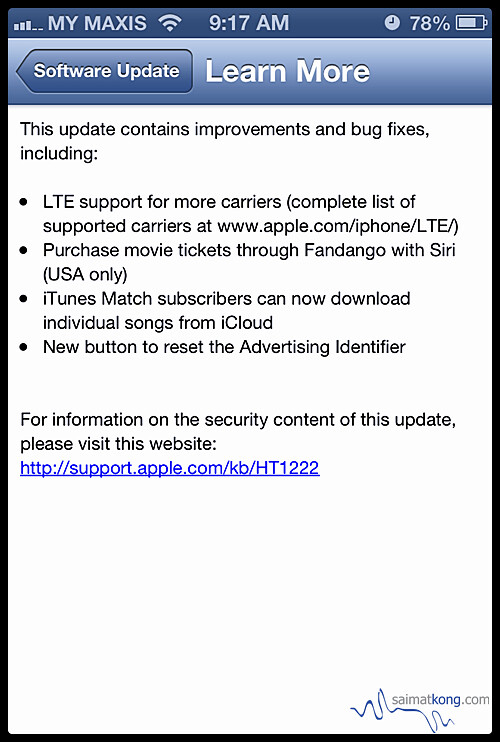
The update brings LTE compatibility to 36 new iPhone carriers and 23 new iPad carriers around the world, allowing users of compatible devices : the iPhone 5, fourth-generation iPads, and iPad mini, to take advantage of the faster wireless speeds.
In addition to the LTE upgrades, Apple also tweaked two of its services: iTunes Match and Siri.
Users of iOS 6 who were disappointed by the removal of the ability to download individual songs to their iOS device will be utterly delighted to find that it’s been restored as of this update.
Siri’s picked up a welcome new skill: You can now use Apple’s virtual assistant to purchase movie tickets via Fandango. That feature’s only available in the U.S., however, and requires that you have the app installed—if you don’t, Siri will prompt you to do so, much as it does with OpenTable.
Passbook gets a slight tweak as well: The introductory screen that lets you visit the App Store’s selection of Passbook-enabled software is now its own “pass,” meaning it doesn’t disappear once you add your first digital pass. That way, you can always have access to the App Store collection. (You can, however, delete the pass like any other, if you prefer.)

This attractive button now lets you reset the token used to identify you to advertisers.
There’s also a new button that lets you reset the Advertising Identifier, which you can find under “Settings -> General -> About -> Advertising”. What is the Advertising Identifier?
“iOS 6 introduces the Advertising Identifier, a non-permanent, non-personal, device identifier, that apps will use to give you more control over advertisers’ ability to use tracking methods. You can reset a device’s Advertising Identifier at any time. And, if you choose to limit ad tracking, apps are not permitted to use the Advertising Identifier to serve you targeted ads. In the future all apps will be required to use the Advertising Identifier. However, until then you may still receive targeted ads.”
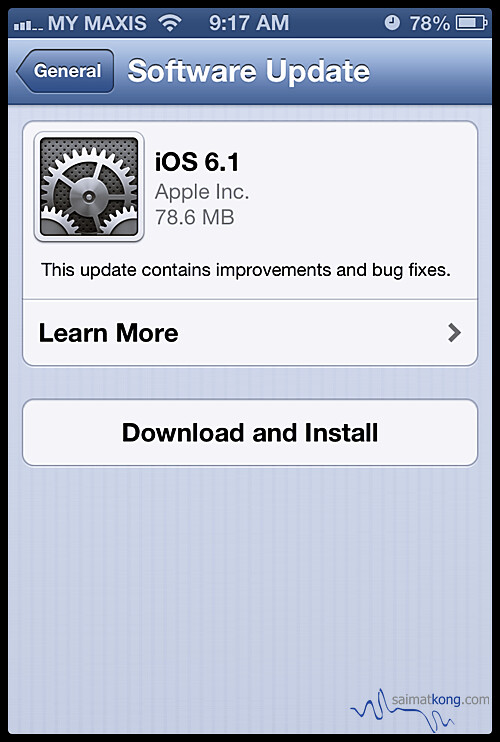
Apple’s also included a variety of security fixes in version 6.1, including for WebKit, Wi-Fi, and other services. To update your device to iOS 6.1, navigate to Settings -> General -> Software Update and tap Download and Install.
Source : MacWorld