
Hotmail.com vs Outlook.com – Migrate to Outlook email now!
Posted By Saimatkong on Aug 1, 2012 | 5 comments 22,697 views
Do you know that there’s a new service in Outlook.com to replace Hotmail.com? Check it out! It’s simple, just navigate to the top right corner and click on the “Upgrade to Outlook.com” link.
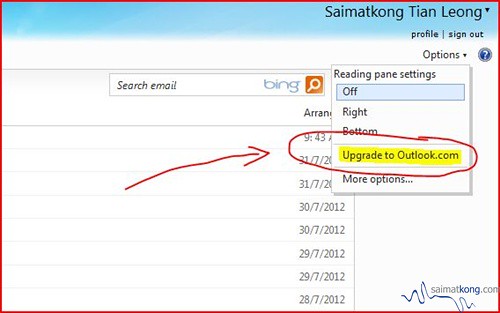
Once you click you should be receive an email of the instruction shown below. Or you could actually just browse Outlook.com directly after you login to Hotmail.com
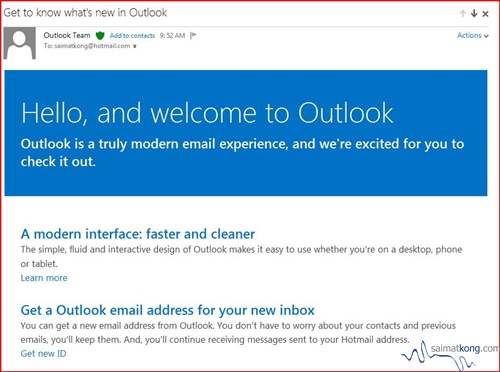
Hello, and welcome to Outlook
Outlook is a truly modern email experience, and we’re excited for you to check it out.
A modern interface: faster and cleaner
The simple, fluid and interactive design of Outlook makes it easy to use whether you’re on a desktop, phone or tablet.
Learn more
Get a Outlook email address for your new inbox
You can get a new email address from Outlook. You don’t have to worry about your contacts and previous emails, you’ll keep them. And, you’ll continue receiving messages sent to your Hotmail address.
Get new ID
Bring your inbox to life — Connect Facebook and Twitter
Connect and see your friends’ Facebook updates and Tweets directly in your inbox. Your contacts’ information is automatically in sync so you don’t miss a thing.
Connect nowTell us what you think of Outlook
We want to hear your opinion. Please submit your feedback via the Feedback link under the Options menu.
Thanks for upgrading to OutlookThe Outlook Team
Microsoft respects your privacy. To learn more, please read our online Privacy Statement.
Microsoft Corporation, One Microsoft Way, Redmond, WA 98052-6399, USA © 2012 Microsoft Corporation. All rights reserved.
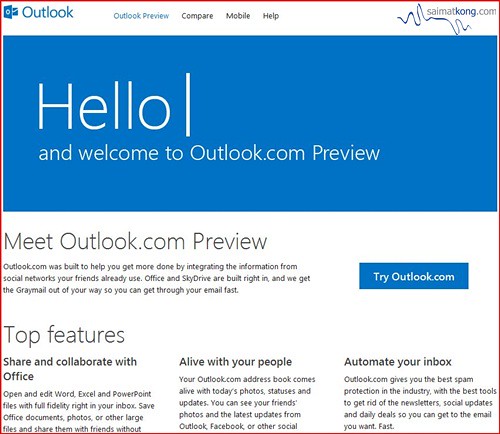
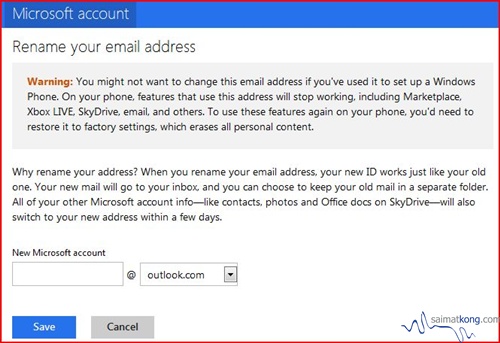
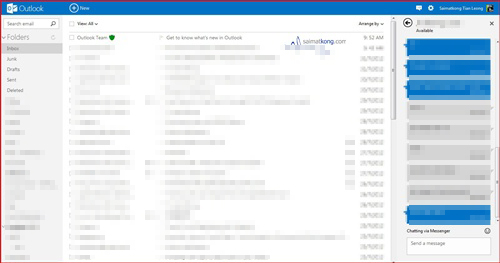
The new outlook.com interface vs hotmail.com interface. It’s much simpler and cleaner compared to hotmail.com and without ads! It’s also integrated chatting function of messenger into outlook and it’s fast!
Migrate or upgrade to Outlook.com now by get a new @outlook.com ID while maintaining your @hotmail.com address.
Do it now before someone else take your unique name! 🙂
Here are a few other things to keep in mind:
– Email sent to your old address will still go to your account.
– Remember to always sign in with your new address; you won’t be able to sign in with your old one.
– If you’d like to stop receiving mail sent to your old address, just delete that address in account services.


August 1, 2012
One very annoying that has happened to a colleague of mine this morning is he upgraded to outlook.com with out any email problems until he tried to use Live messenger.
Since he moved over to his outlook.com address his previous hotmail.co.uk account (that he had all his contacts on in live messenger) obviously wouldnt work. So when he logged in to live messenger with his new outlook.com account he has had to go through and get people to him again as its a different address, because of this i will be holding off on upgrading to outlook.com
August 2, 2012
Hi _D,
I have signed in to my MSN Messenger without any problem using my @outlook.com here.
August 2, 2012
and all your contacts from previous MSN Messenger account were transferred over, so you didnt have to add anyone?
August 2, 2012
yup no need to add anything and all the contacts are intact.
August 2, 2012
interesting that would make sense, but colleague wasnt that lucky. Could be because he uses a Mac and possibly adium to connect to msn.
If im brave enough i may try it later on